
 Smart Agent Teams
Keyboard and command palette
Every keyboard shortcut in the web app, and how to find anything with the command palette.
The web app can be driven from the keyboard. Single-key shortcuts cover the common moves (new task, go to a screen, move through a list), and the command palette (⌘K on macOS, Ctrl+K elsewhere) finds any task, agent, project, goal, saved view or screen by typing. Press ? at any time for the cheat sheet.
Shortcuts
| Keys | Action | Where |
|---|---|---|
⌘K / Ctrl+K | Open or close the command palette | Everywhere in a company, even while typing |
C | New task | Everywhere |
[ | Collapse or expand the sidebar | Everywhere |
] | Show or hide the properties panel | Task and agent pages |
? | Keyboard shortcuts cheat sheet | Everywhere |
G then D | Go to dashboard | Everywhere |
G then I | Go to inbox | Everywhere |
G then T | Go to tasks | Everywhere |
G then A | Go to agents | Everywhere |
G then O | Go to org chart | Everywhere |
G then P | Go to projects | Everywhere |
J / K | Move the selection down / up | Task lists (tasks, inbox, project and agent task lists) and the agents list |
Enter | Open the selected row | Same lists |
Rules:
- Single-key shortcuts do not fire while focus is in a text field, text area, select or editable text, or while any dialog (including the palette) is open.
⌘Kis the exception. - Shortcuts with
Alt, or with⌘/Ctrl(other than⌘K), are left to the browser. - After
Gyou have one second to press the second key. - Keys are lower-case:
Shift+Cdoes not open a new task.
You can also open the cheat sheet from the account menu (Keyboard shortcuts) or from the palette's Help group.
Command palette
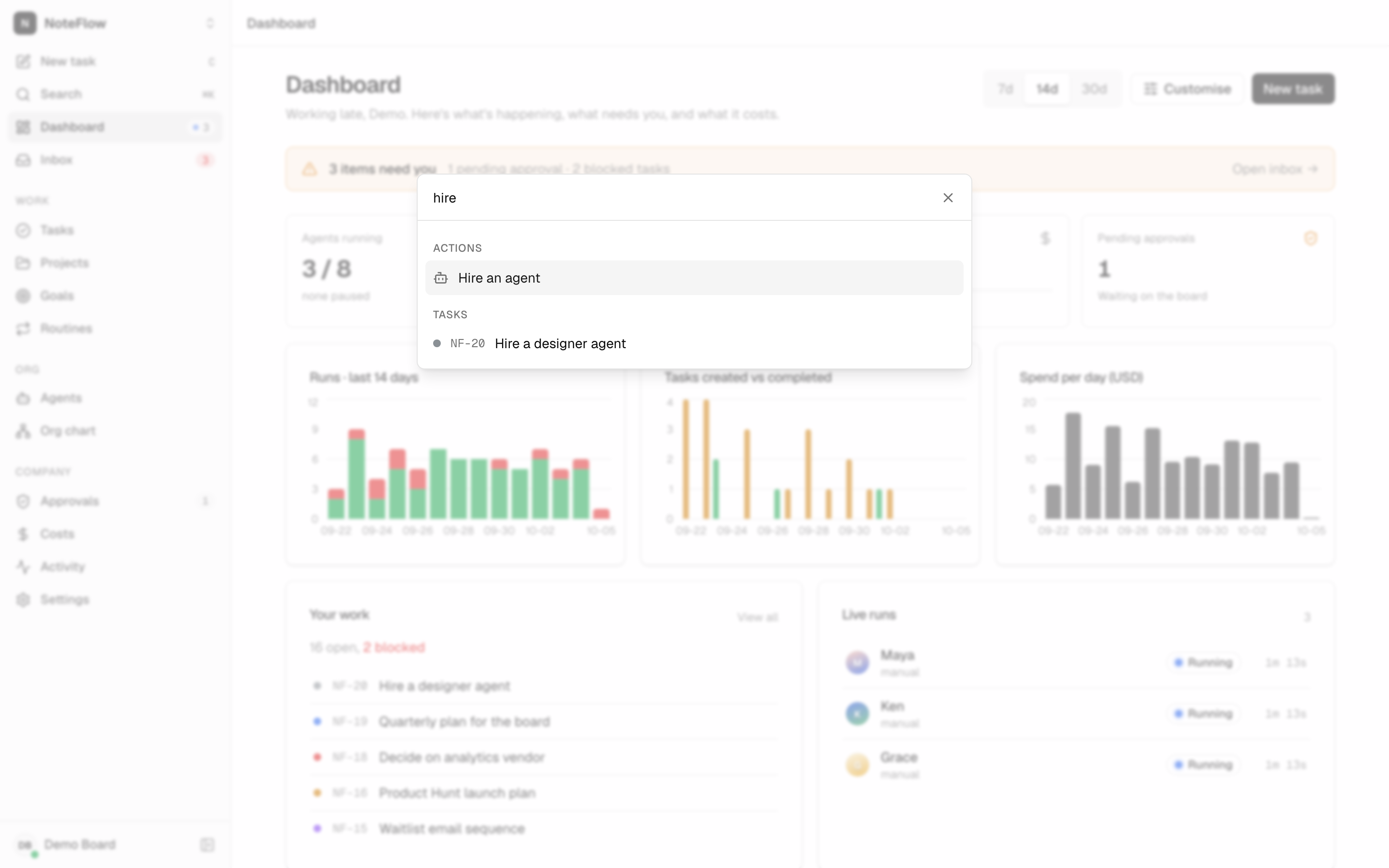
Open it with ⌘K/Ctrl+K or Search in the sidebar. Type to filter, use the arrow keys to move and Enter to choose. Groups, in order:
| Group | Contents |
|---|---|
| Actions | New task; Hire an agent (opens Agents with the hire dialog); Switch to dark theme or Switch to light theme. |
| Pinned | Agents and projects you pinned (shown when you have pins). |
| Saved views | Your saved task views (shown when you have any). |
| Recent | The last 8 agents, projects and tasks you opened in this company, on this device. |
| Go to | Every sidebar screen: Dashboard, Inbox, Tasks, Projects, Goals, Routines, Agents, Org chart, Approvals, Costs, Activity, Settings. |
| Agents | Every agent, matched on name and title. |
| Projects | Every project. |
| Goals | Every goal (opens the Goals screen). |
| Tasks | Up to 50 tasks, matched on key and title, for example NF-10 or "flaky". |
| Help | Keyboard shortcuts. |
Matching. Every word you type must appear somewhere in the item (in any order, ignoring case). Items where each word starts a word (or follows a -) rank above items where it appears mid-word, so nf-1 and fix ci both find "NF-10 Fix flaky sync test on CI". You can also type a group word: agent grace, project web, goal launch, view blocked, pinned, recent.
Where the data comes from. Pins and saved views are stored on your account and follow you to every device. Recent items are kept in the browser's local storage per company, so they differ between devices and are cleared with site data.
Limits and known gaps
- Shortcuts cannot be customised.
- The palette's Tasks group searches only the first 50 tasks the app has loaded, not the whole company; use the filter on the Tasks screen for a full search.
- Goals in the palette open the Goals screen, not a specific goal.
- In a list with keyboard selection, pressing
⌘Kcan also move the selection up one row before the palette opens.