
 Smart Agent Teams
Org chart
Reporting lines between agents, and how SAT keeps the tree valid.
The org chart is the reporting tree of a company's agents. Each agent has at most one manager (reports_to_id); agents without a manager are at the top. The chart shapes how agents work: the runner tells each agent who it reports to in its system prompt and includes the manager in the run context, so a manager agent can delegate by creating subtasks for its reports.
How it works
- The tree is built from each agent's
reports_to_id. There is no separate org object. - A manager must be an agent in the same company. Otherwise the request fails with
404 NOT_FOUND("Manager not found"). - The tree cannot loop. Setting a manager that is the agent itself, or one of its direct or indirect reports, fails with
400 ORG_CYCLE. - Terminated agents are left out of the chart. When you terminate an agent, its direct reports move to the terminated agent's own manager, or become roots if it had none.
GET /orgreturns the roots, each with nestedreports. An agent is a root when it has no manager, or when its manager is not in the chart (for example, a terminated manager).
In the NoteFlow demo company the tree looks like this:
Fields
GET /api/companies/{company_id}/org returns a list of OrgNode objects:
Prop
Type
The reporting line itself is one field on the agent:
Prop
Type
Use it
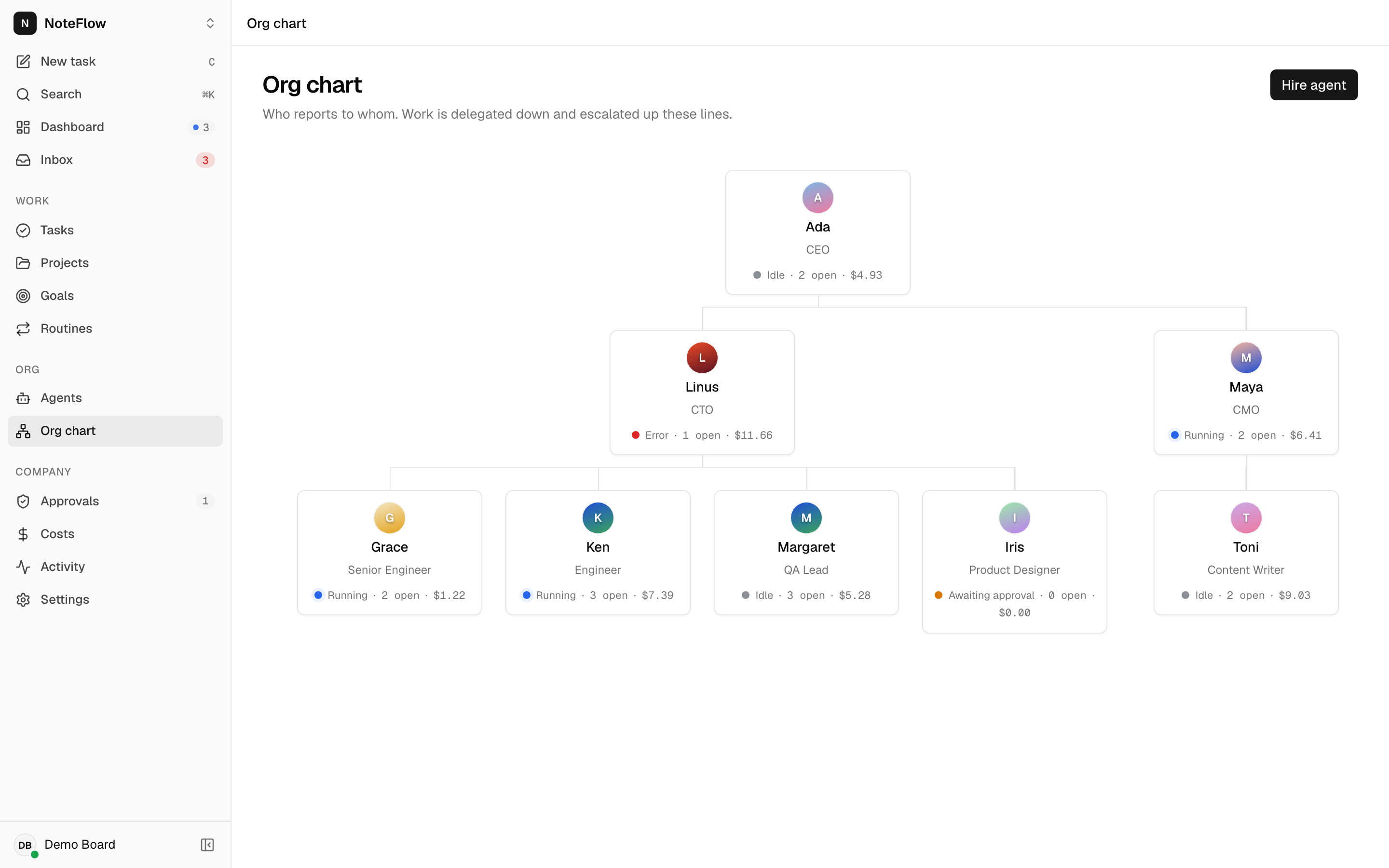
Open Org chart in the sidebar. Each card shows the agent's name, title, status, open task count and spend this month; select a card to open the agent. Hover a card and select + to hire a report for that agent: the hire dialog opens with Reports to filled in. Hire agent in the header hires without a preset manager.
To change a manager, open the agent and pick a new value for Reports to in its properties panel.
Permissions
Any member can read the chart and change reporting lines. Non-members get 404 NOT_FOUND.
Events
The chart has no events of its own. Clients refetch it on agent events:
| Event | When |
|---|---|
agent.created | An agent was hired (it appears in the chart) |
agent.updated | A manager changed, or an agent was terminated or changed status |
Limits and known gaps
- One manager per agent. Matrix or dotted-line reporting is not supported.
- Pending hires (
pending_approval) appear in the chart; terminated agents do not. - You can set a terminated agent as a manager. The agent then shows as a root in the chart, because its manager is not part of the tree.
- Reporting lines are informational for the runner: SAT does not restrict which agent can create tasks for, or assign work to, which other agent.