
 Smart Agent Teams
Projects
Groups of tasks with a shared repository, a status and a monthly budget.
A project groups related tasks, usually work on one codebase or one area such as a marketing site. A project can point at a git repository: when sat runner executes a task in that project, it clones the repository and gives each run its own git worktree, so agents work on real code without touching each other's changes. Projects also show task progress and month-to-date spend.
How it works
- New projects start
active. Change the status later with an update. - A task belongs to at most one project (the task's
project_id). - Repository. When a task's project has a
repository,sat runnerclones it once and creates a git worktree for each run. For taskNF-12in project "Web app", the clone is<workdir>/nf/web-app/repo, the worktree is<workdir>/nf/web-app/runs/<first 8 characters of the run id>, and the branch issat/nf-12-<same 8 characters>. The default workdir is~/.local/share/sat/workspaces. Nothing is pushed; review the branch yourself. Tasks without a project, or in a project without a repository, run in a persistent per-agent folder such as<workdir>/nf/agents/grace. A value likegithub.com/acme/web(host/owner/name) is cloned overhttps://. See Workspaces. - Progress.
tasks_totalcounts the project's tasks that are notcancelled;tasks_donecounts those that aredone. - Spend.
spend_mtd_centsis the cost of runs on the project's tasks, created since the first of the current UTC month. It is computed on every read from the task each run belongs to. - The runner includes the project name and repository in the agent's task prompt.
Fields
Returned by the project endpoints (ProjectOut).
Prop
Type
Create (POST /projects) accepts name (required), description, repository and monthly_budget_cents. Update (PATCH /projects/{project_id}) accepts those plus status; only fields present change.
Statuses
| Status | Meaning | Changed by |
|---|---|---|
active | Work is ongoing (every new project) | Create, or an update |
paused | On hold | An update |
completed | Finished | An update |
archived | Kept for the record | An update |
Project status is a label. It does not stop runs, hide tasks or block new tasks from being added to the project.
Use it
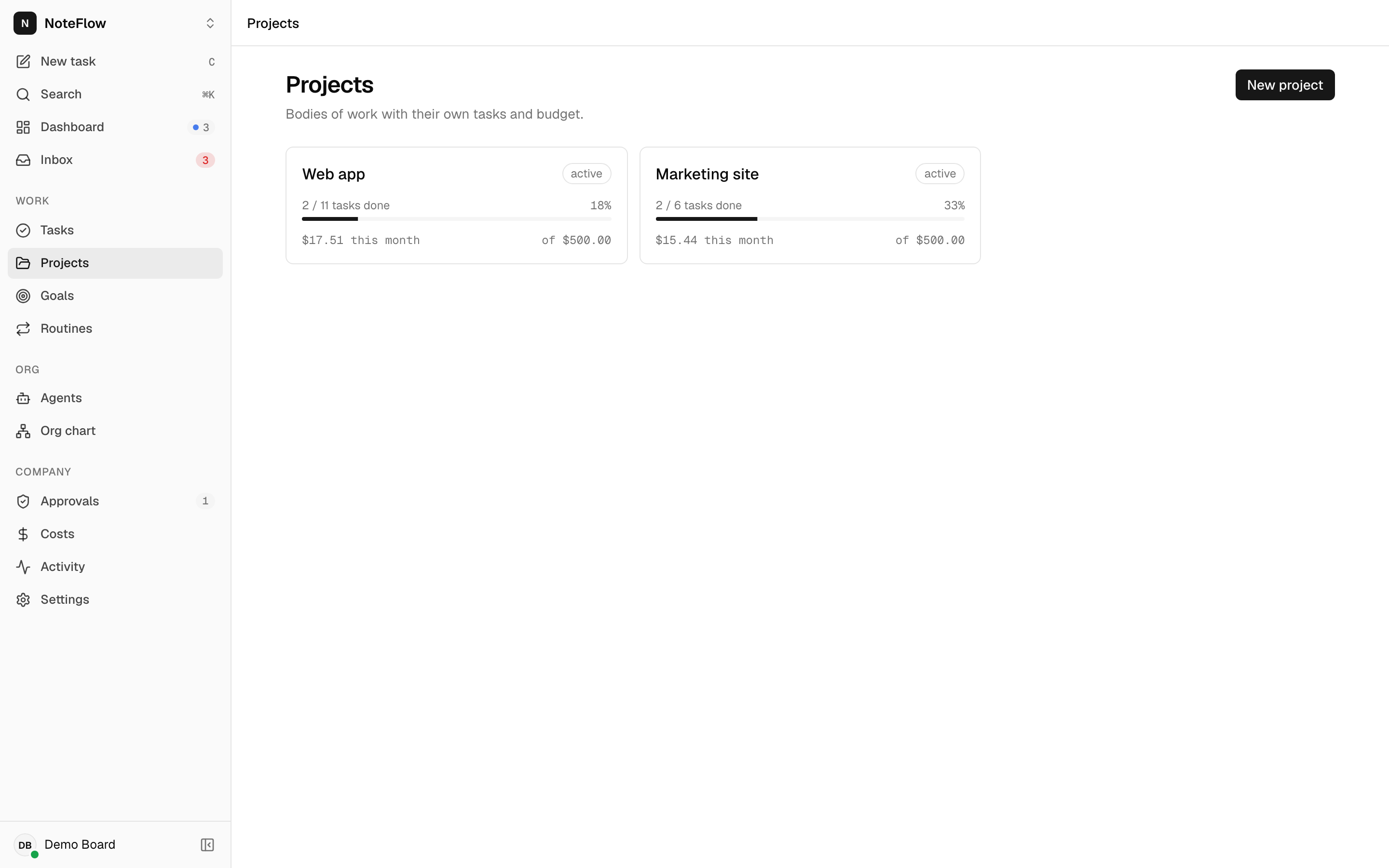
Open Projects. New project asks for Name, Description, Repository URL and Monthly budget (USD) (empty means no limit).
Open a project to edit its name and description in place, change status with the selector in the header, open the repository, see progress and spend this month, and create a task in the project with New task.
Permissions
Any member can create and update projects. Non-members get 404 NOT_FOUND, as does a project id from another company.
Events
| Event | When |
|---|---|
project.created | A project was created |
project.updated | A project changed |
Limits and known gaps
- Deleting a project is not available yet. Set its status to
archivedinstead. - The project budget is not enforced. Only agent budgets pause work.
- Spend is attributed through each run's task. Runs without a task (heartbeats, manual wakes without a task) never count toward a project, and moving a task to another project moves its past spend with it.
- The repository is cloned with the runner machine's own git credentials. SAT does not store repository credentials.
- The API does not validate the repository URL. A wrong URL fails at run time, when the runner tries to clone it, and the run is marked
failed.